The work opportunities board lets you browse and apply for active testing opportunities on the Testlio platform.
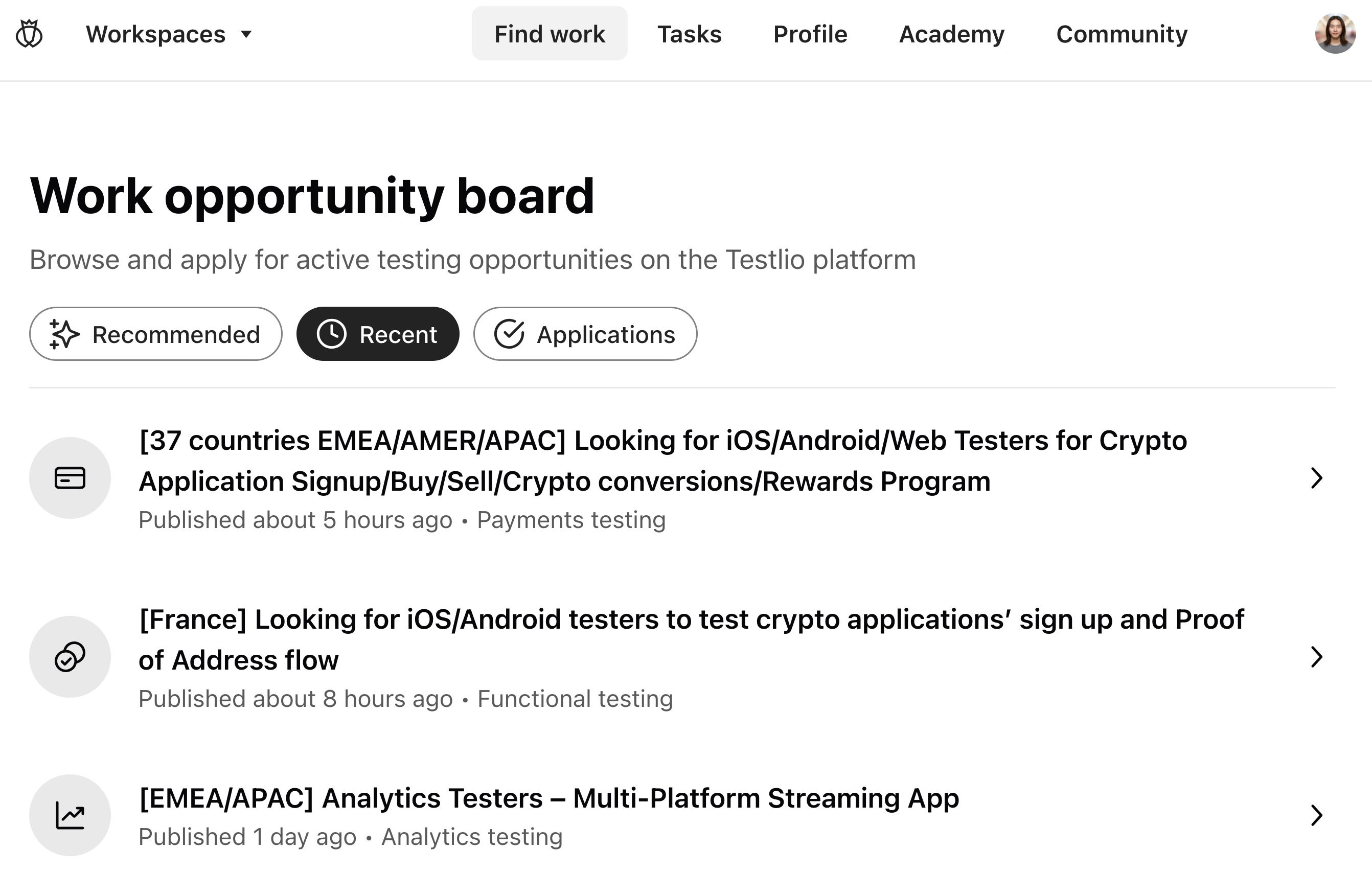
Find active opportunities by clicking Find work in the main Testlio navigation.

By default, you see all active work opportunities sorted by when they were created, with the most recent coming first.
To see those work opportunities that best fit your profile, click Recommended.
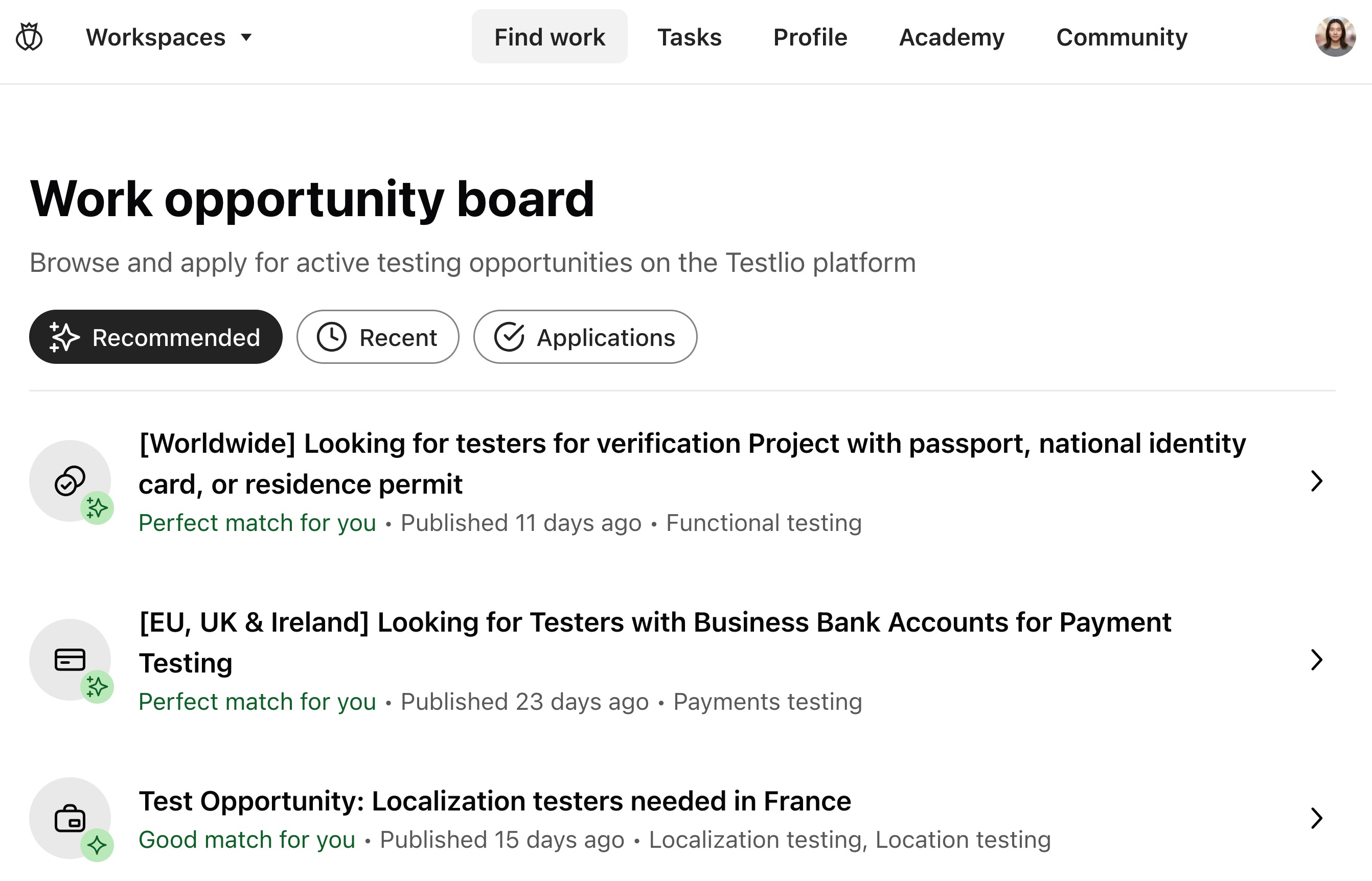
A perfect match means that you meet all of the work opportunity's requirements.
A good match means that you meet at least 75% of the requirements.
To see all work opportunities you have applied to, click Applications.
Requirements
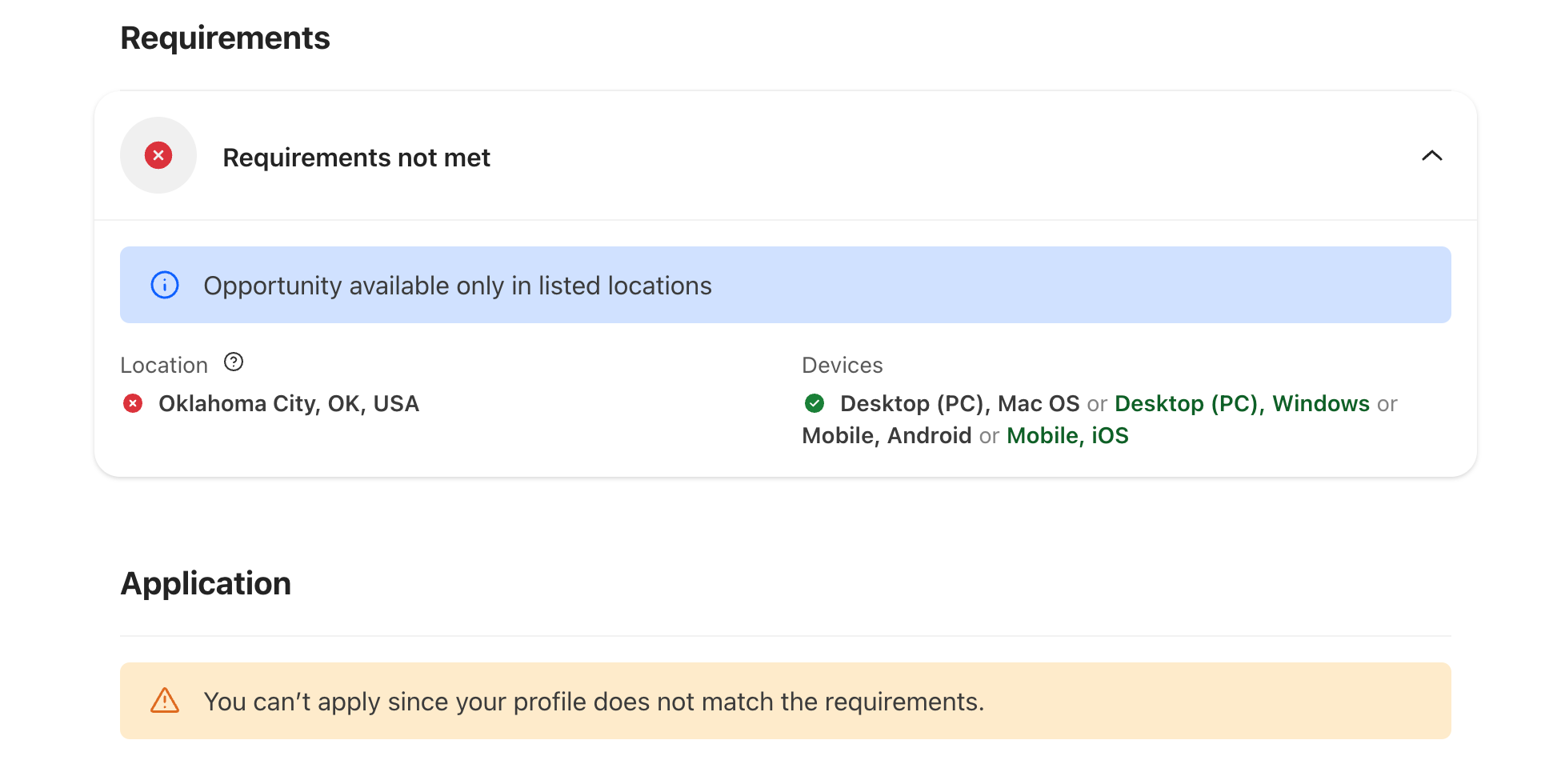
Once you click on a work opportunity, you can see the requirements that are necessary to be able to apply for the work opportunity, such as location or device.
You can see which requirements you match and which you don't. If you don't match necessary requirements, you can't apply.
How to apply for a work opportunity
Make sure to read everything carefully before applying. Some work opportunities also have additional questions that you need to answer while applying.
If the 'Apply' button is not active, this means that you don't meet all the requirements that are necessary to apply to this work opportunity.
How to know if you're accepted
If your application is accepted, you are notified when you are added to the workspace. If you are not accepted, you get an email notification when the work opportunities closes.
#TestlioBot
Was this article helpful?
That’s Great!
Thank you for your feedback
Sorry! We couldn't be helpful
Thank you for your feedback
Feedback sent
We appreciate your effort and will try to fix the article