This article presents a requirement for our freelancers. Failure to follow the process might represent a breach of the Freelancer Services Agreement.
TABLE OF CONTENTS
What is an Issue Change Request task?
In some cases, the testing team might ask you to update your reported issues. It means that the issue is not up to the Testlio quality standard and you have been given a second chance to improve the issue.
This may happen when:
The issue report is missing important information such as:
Required attachments
OS environment
The affected feature is missing from the issue title or is incorrect.
The steps to reproduce the issue are incomplete.
The app version is incorrect.
Other situations that are clarified in the change request.
How will I receive an Issue Change Request?
Issue change requests are sent out via email and they also appear under the Tasks section on your Testlio Dashboard as shown in the screenshot below.
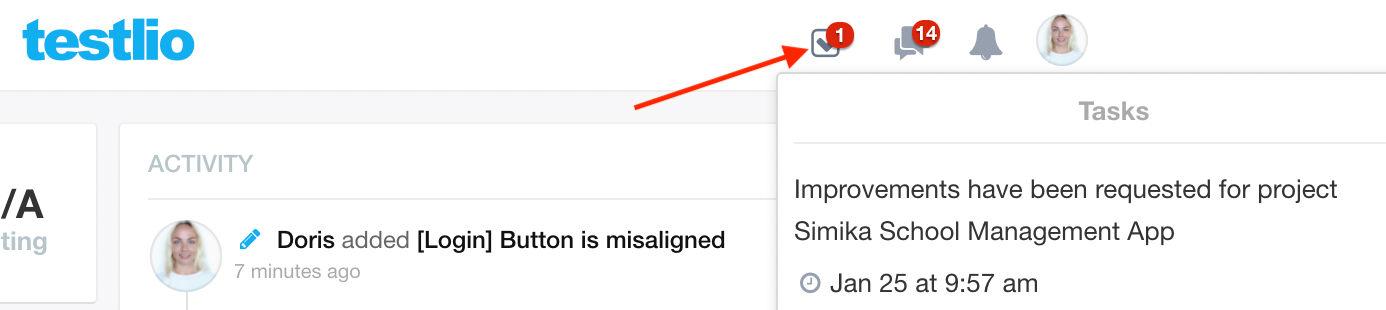
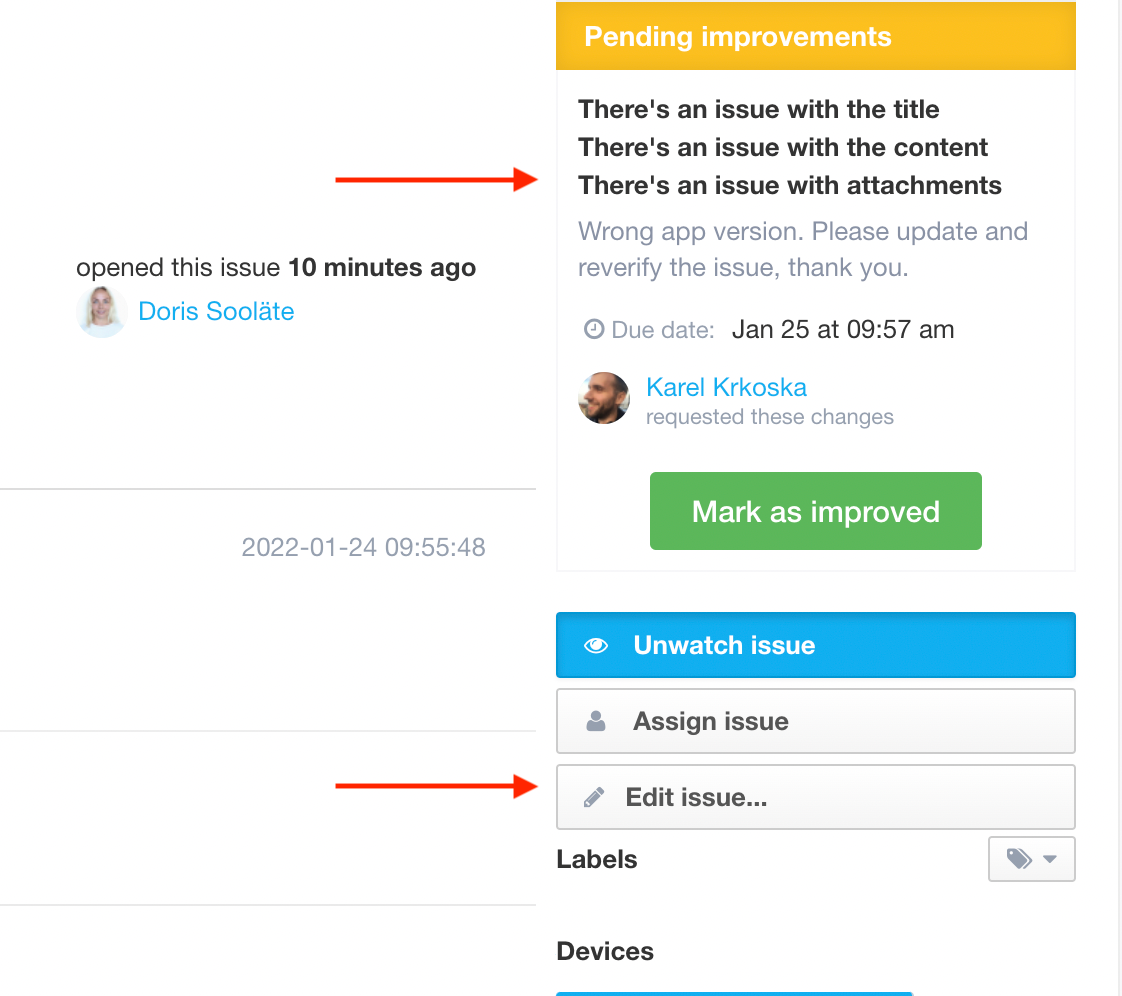
Once you have clicked on the task, you will see the Due date and the improvements that you need to make in the Pending improvements section.
From here, you simply need to:
Click the Edit Issue button
Correct the mistakes/add missing attachments
Click Submit Changes & Mark as Improved
#TestlioBot
Was this article helpful?
That’s Great!
Thank you for your feedback
Sorry! We couldn't be helpful
Thank you for your feedback
Feedback sent
We appreciate your effort and will try to fix the article