TABLE OF CONTENTS
You might have builds to test shared with you through TestFlight. Follow these steps to open and run such a build on your device.
The following guideline is a requirement for our freelancers. Failure to follow the guideline might represent a breach of the Freelancer Services Agreement.
Builds (including access links and metadata) are confidential information and you must not disclose them to any third party.
What You Need
The TestFlight app installed on your device.
Use a Public Link
Using a public link means that you can use your own AppleID to sign up for testing.
To run the app, follow these steps:
On your device, open the public link shared in the run instructions.
Example public link:
https://testflight.apple.com/join/uniqueLetterAndNumberCombo
TestFlight opens.
Follow the instructions provided and install the build.
Test the build.
After completing the test, remove your AppleID from testing.
Remove Your AppleID from Testing
To remove your AppleID, follow these steps:
Open TestFlight.
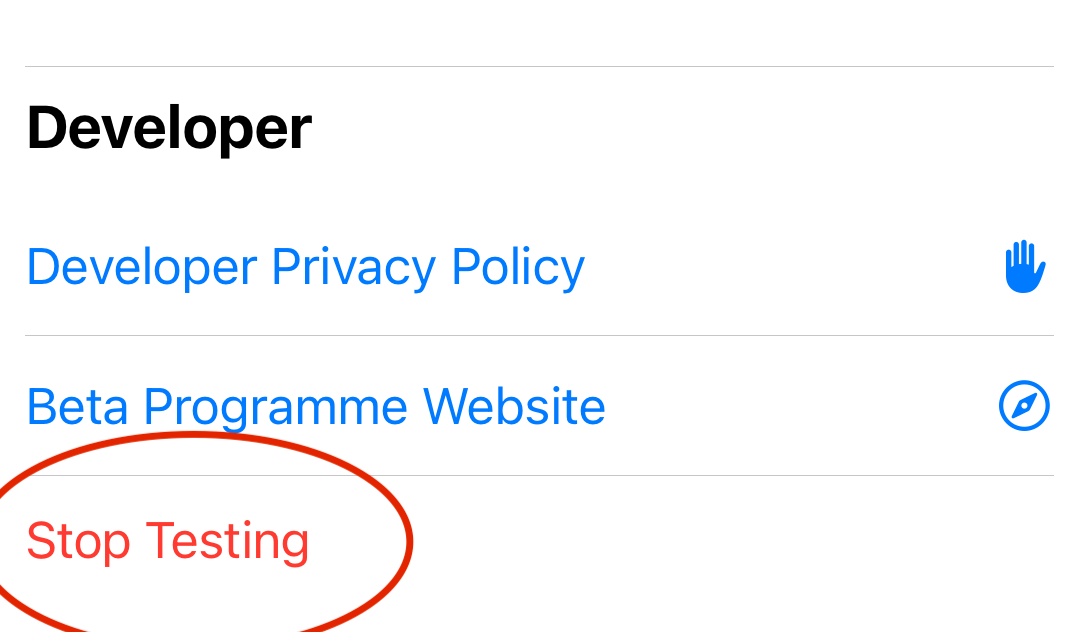
Open the build and scroll to end, under Developer.
Click Stop Testing.
#TestlioBot
Was this article helpful?
That’s Great!
Thank you for your feedback
Sorry! We couldn't be helpful
Thank you for your feedback
Feedback sent
We appreciate your effort and will try to fix the article