This article presents a requirement for our freelancers. Failure to follow the process might represent a breach of the Freelancer Services Agreement.
TABLE OF CONTENTS
General guidelines:
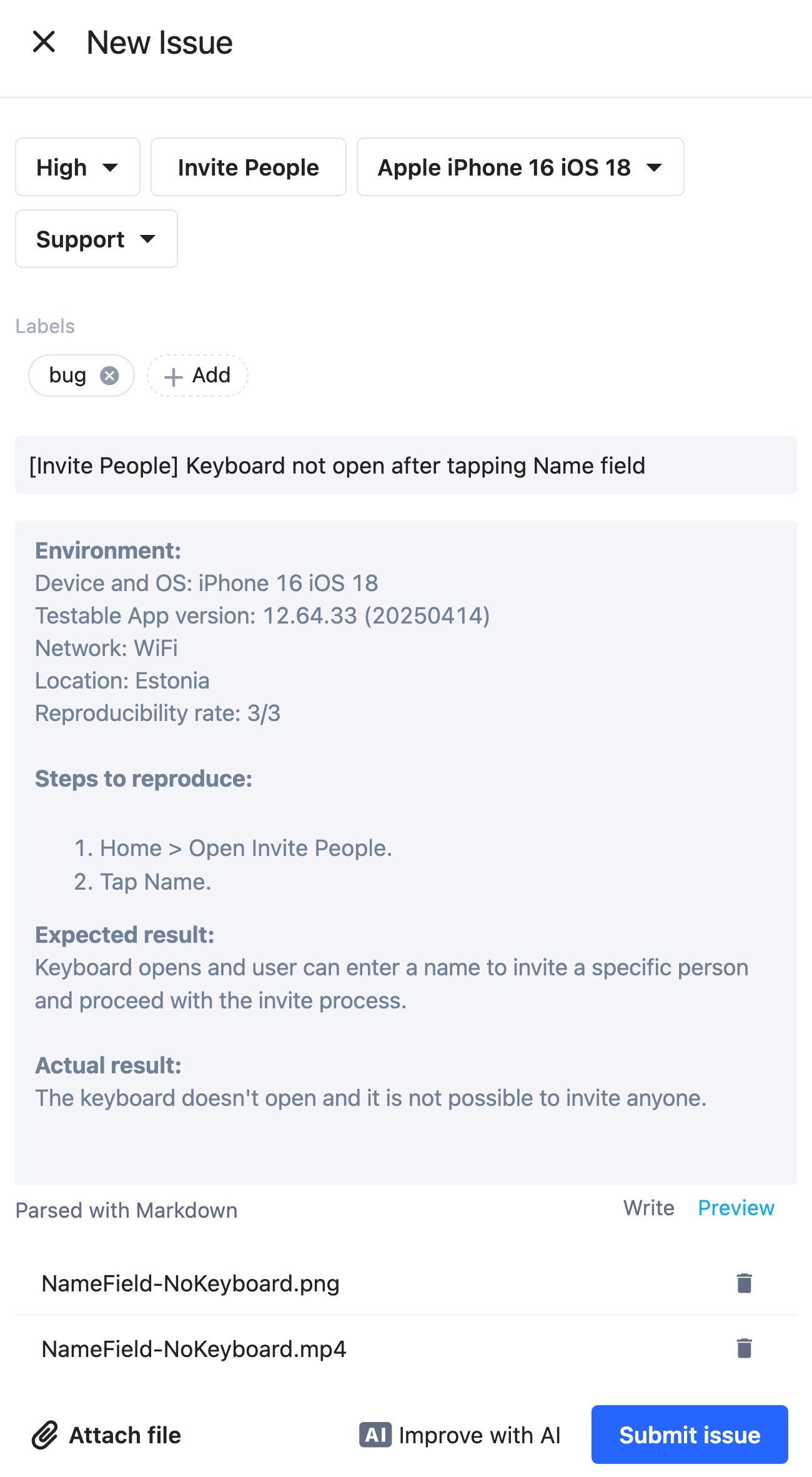
Every issue title must have the prefix of the feature where the issue occurs (for example [Login] Can not login) unless specified otherwise in the workspace.
Attachments are required. Videos must be high quality, in .mp4 format, not too large, and in portrait mode and match the steps to reproduce.
Logs are mandatory for all functional issues.
Follow the issue template when filling out a report. Make sure you include the correct build, device, and account.
Duplicates, known, and out of scope issues will be rejected.
A good issue report will have:
Correct metadata:
Device
As needed: labels
Clear Title: [Affected feature] Title of the issue
Environment details:
Device and OS:
Testable App version: (Please add the full app version and not just the release number)
Network:
Location:
Reproducibility rate: (x/y)Steps to reproduce
Expected result
Actual Result
Attachments
Mandatory attachments:Screen recording (less than 10 MB in .mp4 format)
Screenshot
If necessary: log files (TXT files for console and device logs and HAR files for network logs).
Example
#TestlioBot
Was this article helpful?
That’s Great!
Thank you for your feedback
Sorry! We couldn't be helpful
Thank you for your feedback
Feedback sent
We appreciate your effort and will try to fix the article