Your profile is how you appear to other people in Testlio. Keeping your profile up-to-date can help you show off your skills and experience to get you work. It is used to help better match freelancers with tasks.
Your profile includes information you provide, such as:
Contact information (email address, visible to internal TestLions after clicking + More details)
Devices
Languages
Location (to be verified for location-specific testing)
Payment testing methods
Services
Skills
Frameworks
It also includes information added automatically, such as:
Performance
Hourly rate
Experience at Testlio
Certifications and completed courses
Find your profile by clicking Profile in the main navigation of the Testlio platform for freelancers.
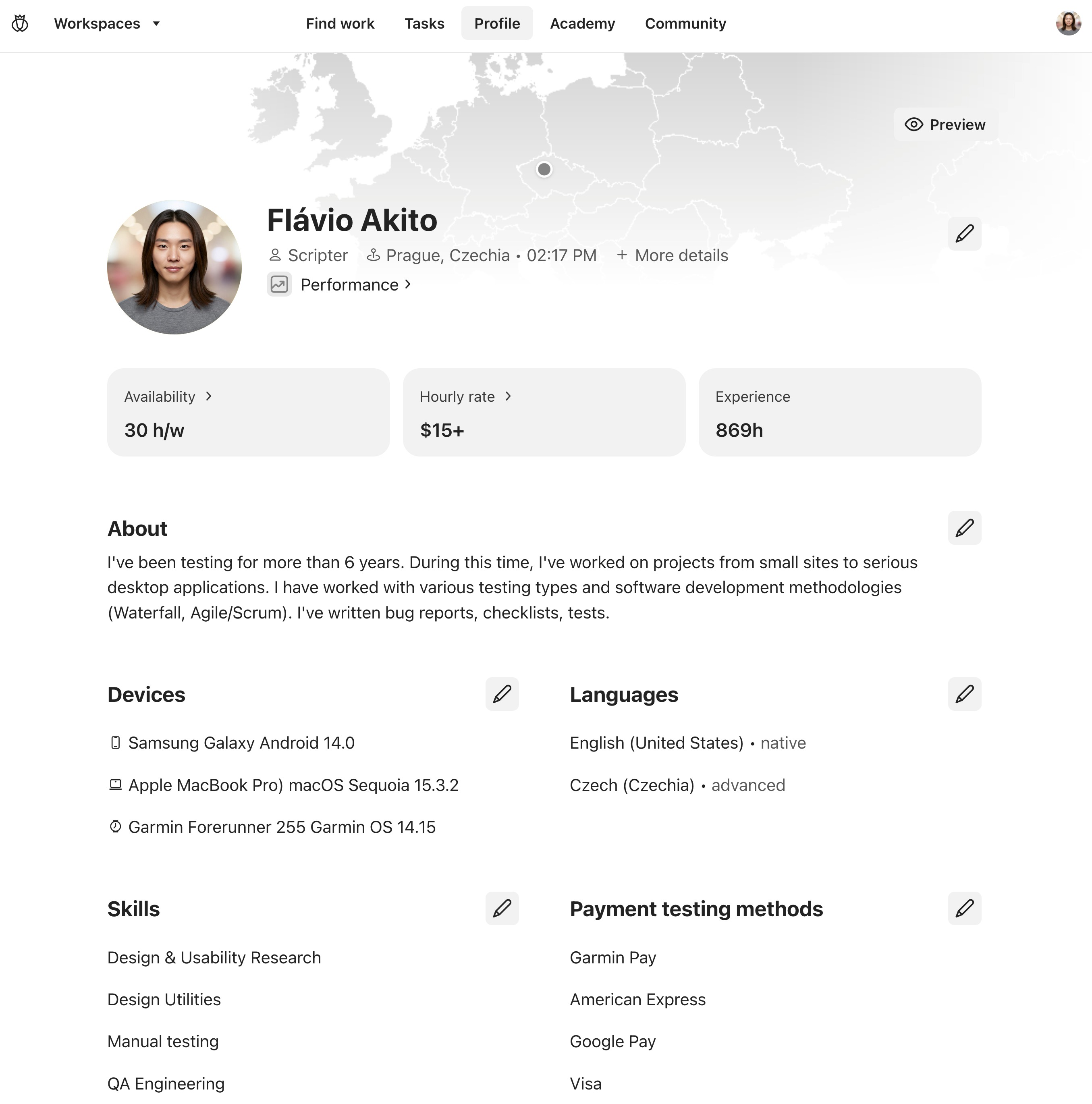
Example profile
Edit Your Profile
Photo, Location, Email, Basic Details
To update your photo, location, email address, or other basic details, click ✎ (Edit profile) your name, fill in the updated details, and click Submit.
Note that if you change your email address, the new address will appear as unverified until you verify it.
Availability
See how to set your availability.
Devices
To edit your devices, click ✎ (Edit profile) near Devices and edit your devices.
Payment Testing Methods
To add a payment testing method, follow these steps:
Click ✎ (Edit profile) near Payment testing methods.
Click Add a payment testing method.
Search for the method (use the categories to narrow down your search).
If necessary, choose additional details, such as the payment network, and click Continue.
Select the location where the payment testing method was issued.
Review the details and click Confirm and save.
Other Information
To edit any other section of your profile, click ✎ (Edit profile) near the information you want to edit, update the information, and save your changes.
Preview Your Profile
To see how your profile looks to others at Testlio, click Preview. You then see how coordinators see your profile when looking for freelancers who match the needs of their workspace.
Was this article helpful?
That’s Great!
Thank you for your feedback
Sorry! We couldn't be helpful
Thank you for your feedback
Feedback sent
We appreciate your effort and will try to fix the article