Get all necessary information about your TV in the TV Settings > General > TV Information > Model
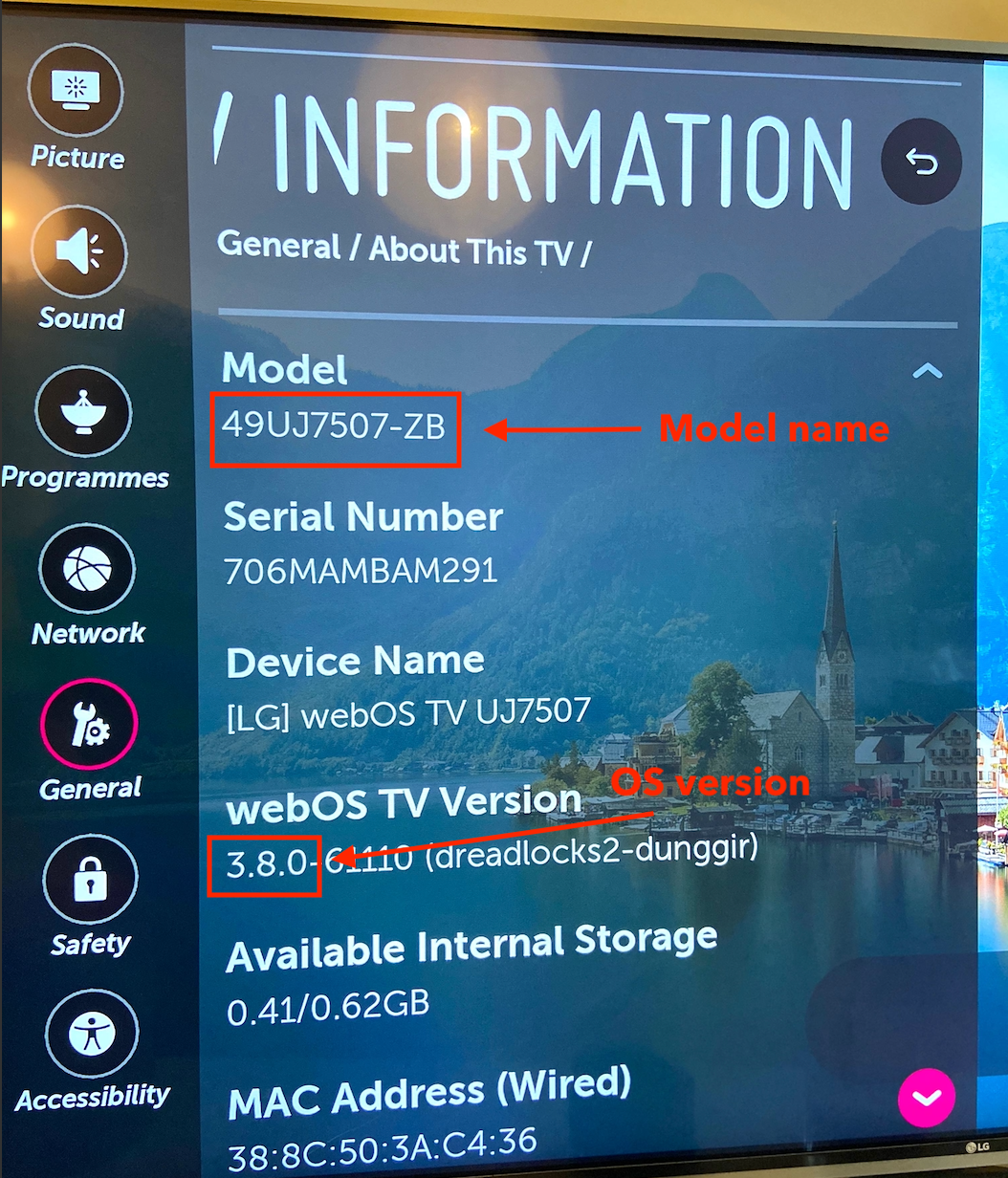
Then add your LG Smart TV to your device list.
Click + Add.
Click Smart TV.
For the model, enter the TV name (for example, LG 49UJ5707-ZB).
For the OS, enter the major version number from the TV settings (such as webOS 25).
Add a Missing Device
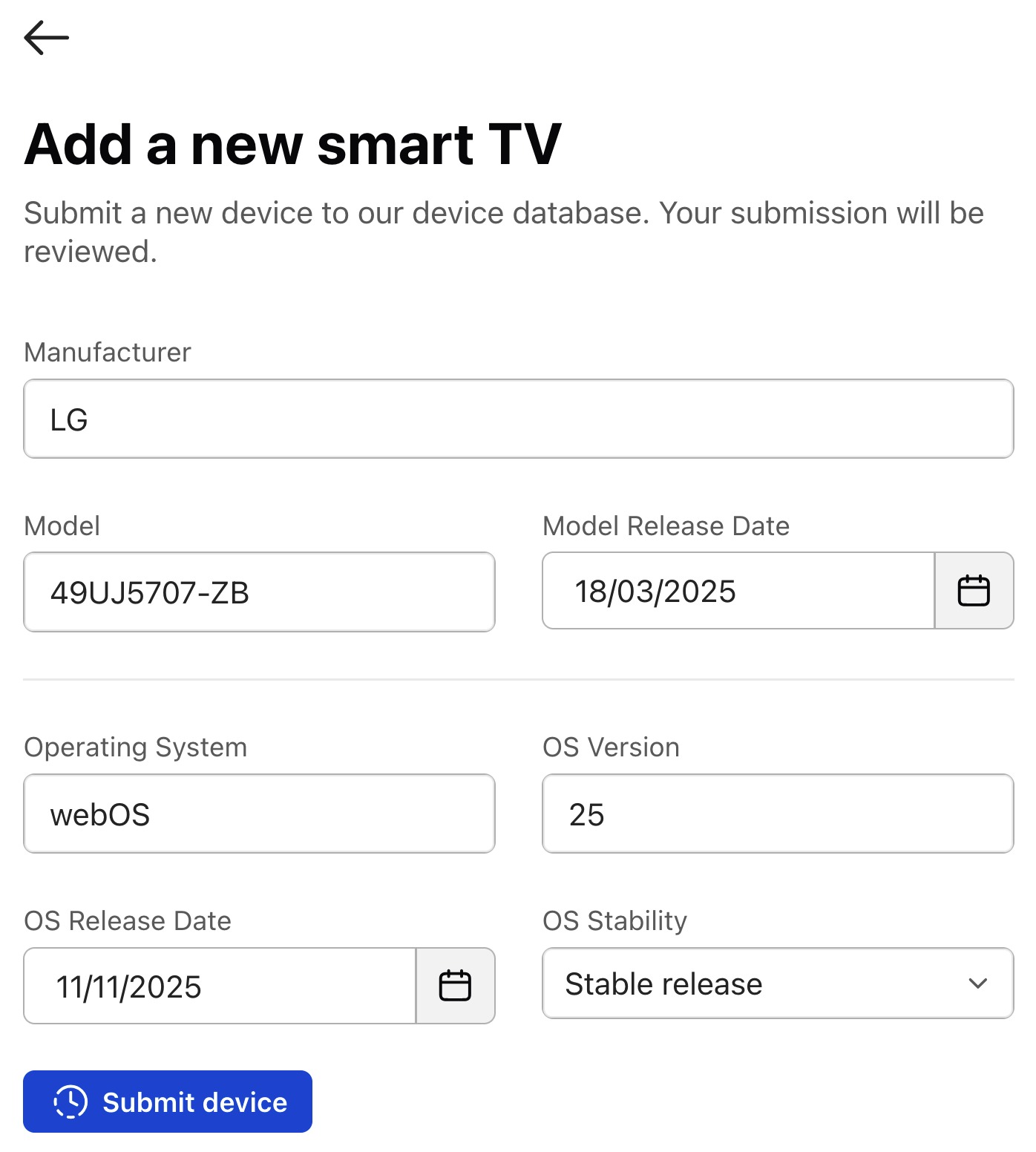
If your model or OS version is not found, click + Add a new model or + Add a new OS version. Then fill in the necessary information:
Manufacturer: LG
Model: Find in your TV settings, for example: 49UJ5707-ZB
Release Date: If you can's find it otherwise, decode the release date from the model.
Operating System: webOS
OS version: Find in your TV settings, for example: 25
OS Release Date: See the release years for webOS
Example Submission
#TestlioBot
Was this article helpful?
That’s Great!
Thank you for your feedback
Sorry! We couldn't be helpful
Thank you for your feedback
Feedback sent
We appreciate your effort and will try to fix the article