After you’ve started working on a task you’ve accepted, you might come across issues or questions about the task. Testlio has various ways for you to get answers.
Try finding an answer in this order:
Read the Instructions to testers (which you can find in the sidebar when executing a test). For other tasks, such as issue reproductions, read the task description.
If your workspace has the Leo chatbot enabled, click Get help from Leo AI to get answers (including links to more information).
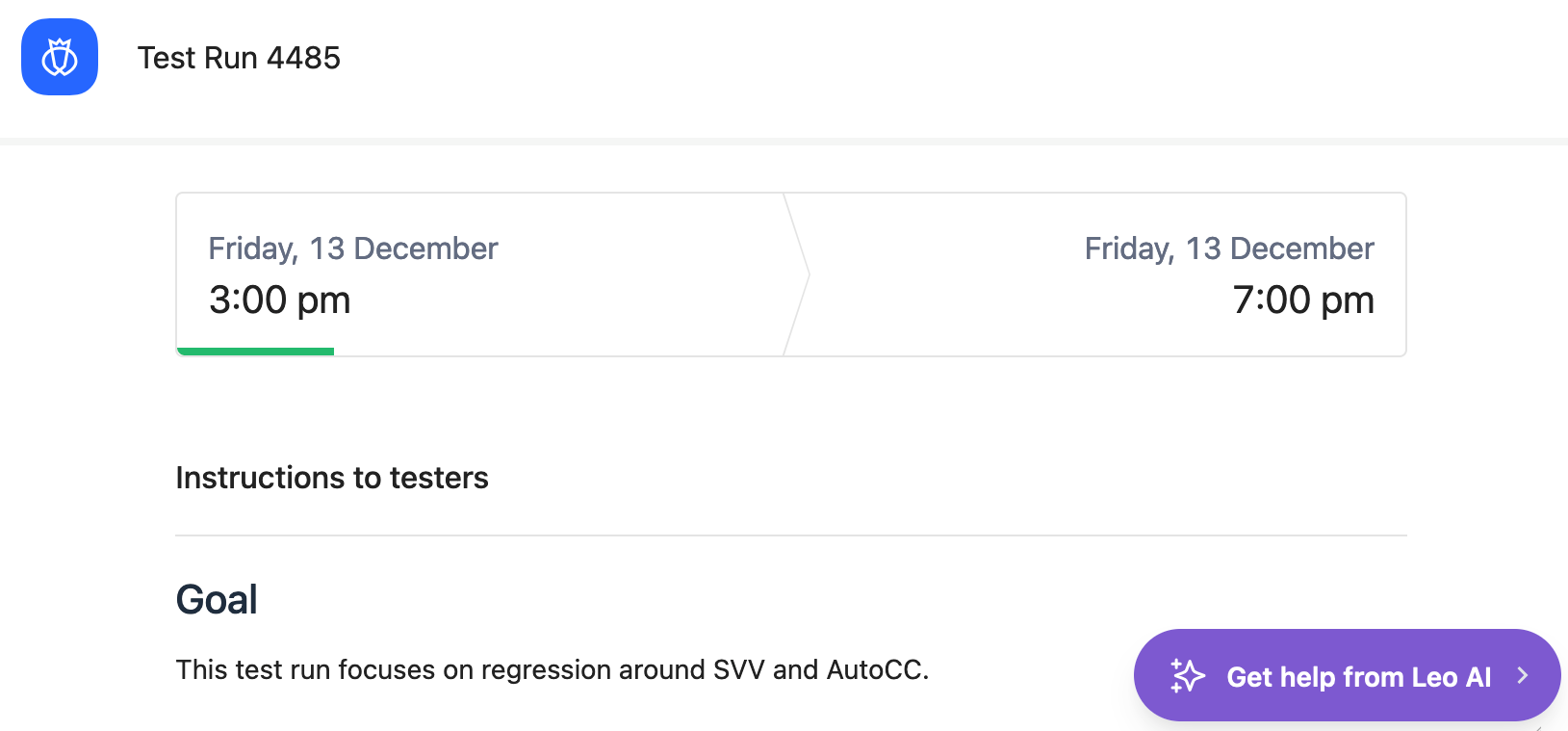
For eligible workspaces, at the end of the Instructions to testers is a link to
help & documentation. Review the docs to find your answer there.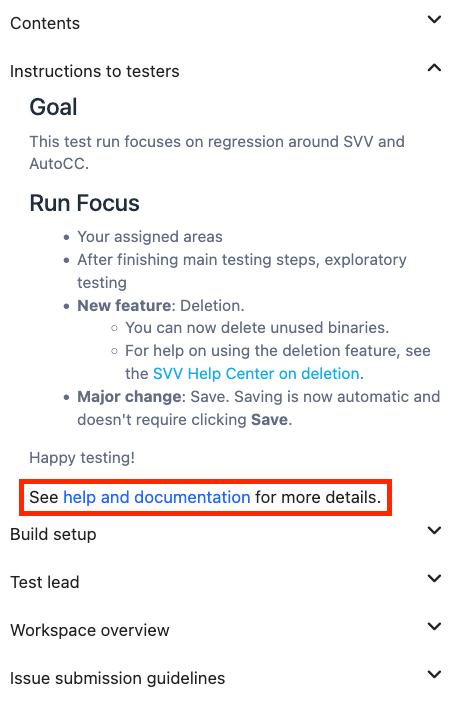
If your workspace does not yet have this feature, you see links to different sources in the instructions.
Ask your Test Lead (TL) to help you figure out the answer.
#TestlioBot
Was this article helpful?
That’s Great!
Thank you for your feedback
Sorry! We couldn't be helpful
Thank you for your feedback
Feedback sent
We appreciate your effort and will try to fix the article